How Much Would It Cost to Build a Computer for BIM and CAD?
Discover how much it would cost to build a computer for construction BIM, CAD, and project management, with 2026 pricing and hardware specs.

Estimating IT Overhead: How Much Would It Cost to Build a Computer for Construction?
When budgeting for a new design-build firm, expanding a project management office, or upgrading a BIM coordination team, hardware is a major capital expenditure. While general contractors meticulously estimate the cost of lumber, concrete, and heavy machinery, IT infrastructure is often miscalculated. A common question from construction partners and IT directors is: how much would it cost to build a computer capable of handling modern Building Information Modeling (BIM) workflows, drone photogrammetry, and complex clash detection?
The answer depends entirely on the specific software ecosystem your team utilizes. Running Autodesk Revit, Navisworks, Civil 3D, and point-cloud processing software like ReCap requires vastly different hardware profiles than a standard office PC used for Procore or Bluebeam. This guide breaks down the exact 2026 component pricing and performance requirements to help you accurately forecast IT hardware costs for your construction firm.
Core Hardware Requirements for BIM and CAD Software
Before assigning a dollar figure to your budget, it is critical to understand how construction software interacts with hardware. Unlike video editing or server hosting, 3D modeling is primarily a single-threaded task.
When drawing walls, placing structural families, or routing MEP ductwork in Revit, the software relies almost exclusively on a single CPU core. Therefore, a processor with a high boost clock (5.5 GHz+) will outperform a server-grade CPU with 64 cores but a lower base clock. Multi-core performance only takes the lead during CPU-based rendering (e.g., V-Ray, Corona) or exporting large NWD files in Navisworks.
According to the official Autodesk Revit System Requirements, while 32GB of RAM is listed as a baseline, professional BIM coordinators working on large-scale commercial or healthcare projects routinely exceed this, requiring 64GB to 128GB to prevent crashes when linking multiple architectural, structural, and MEP models.
Tiered Budget Breakdown: How Much Would It Cost to Build a Computer?
To provide an accurate estimate for your construction firm's budget planning, we have categorized workstations into three distinct tiers based on employee roles and software demands. These prices reflect custom-built systems using 2026 consumer and prosumer component pricing.
| Use Case / Role | Target Specifications | Estimated Cost (2026) |
|---|---|---|
| Tier 1: Project Management & Estimating (Bluebeam, Procore, AutoCAD LT, Excel) |
Intel Core i5 / Ryzen 5, 32GB DDR5 RAM, Integrated or Entry GPU, 1TB NVMe SSD | $800 - $1,100 |
| Tier 2: BIM Coordination & Drafting (Revit, Civil 3D, Navisworks, SketchUp) |
Intel Core Ultra 7 / Ryzen 9, 64GB DDR5 RAM, RTX 4070 Ti Super, 2TB Gen4 SSD | $2,100 - $2,600 |
| Tier 3: Visualization & Point Clouds (Twinmotion, Enscape, ReCap, V-Ray) |
Intel Core Ultra 9 / Ryzen 9 9950X, 128GB DDR5 RAM, RTX 4090 / 5080, 4TB Gen5 SSD | $3,800 - $4,800+ |
Component-by-Component Cost Analysis
If you are sourcing parts to build these machines in-house rather than buying pre-built workstations from OEMs like Dell or HP, here is where your budget will be allocated.
Processors (CPU): The Modeling Engine
For Tier 2 and Tier 3 builds, the hardware recommendations from Puget Systems consistently highlight the value of high-frequency consumer chips over enterprise Xeon or Threadripper processors for modeling tasks.
- AMD Ryzen 9 9950X (~$600 - $650): Offers exceptional multi-threading for background rendering while maintaining high boost clocks for active modeling.
- Intel Core Ultra 9 285K (~$580 - $620): A strong alternative with excellent single-thread performance, crucial for snappy viewport navigation in complex Revit central models.
Graphics Cards (GPU): Viewport and Rendering
A common budgeting mistake in construction IT is overspending on NVIDIA RTX Ada Generation (formerly Quadro) workstation cards. Unless your firm relies on highly specific ISV-certified enterprise plugins, consumer GeForce cards offer vastly superior price-to-performance ratios for BIM.
- NVIDIA RTX 4070 Ti Super 16GB (~$800): The sweet spot for BIM coordinators. The 16GB of VRAM is sufficient for loading massive Navisworks federated models without stuttering.
- NVIDIA RTX 4090 24GB or RTX 5080 (~$1,600 - $1,800): Mandatory for Tier 3 users processing heavy LiDAR point clouds in ReCap or running real-time ray tracing in Enscape and Twinmotion.
Memory (RAM) and Storage: The Hidden Bottlenecks
When a BIM model exceeds available RAM, the system uses the SSD as swap memory, bringing productivity to a grinding halt. Budget for high-capacity, high-speed memory.
- RAM: 64GB (2x32GB) DDR5-6000 kits cost approximately $180 to $220. For point-cloud specialists, 128GB kits will push the budget by an additional $250.
- Storage: A 2TB PCIe Gen 4 NVMe SSD (like the Samsung 990 Pro) costs around $160. For Tier 3 builds, upgrading to a PCIe Gen 5 drive (e.g., Crucial T700) for faster point-cloud loading will add $100 to $150 to the storage budget.
Hidden IT Costs Construction Firms Often Miss
When answering the question of how much it would cost to build a computer, the core components only tell part of the story. Construction firms must account for the peripheral ecosystem to ensure uptime and data integrity.
If these workstations are being deployed in job site trailers or remote field offices, grid power is notoriously unstable. A sudden voltage drop can corrupt a 4GB Revit central model and destroy the motherboard. You must budget $250 to $400 per workstation for a Pure Sine Wave Uninterruptible Power Supply (UPS) with at least 1500VA capacity.
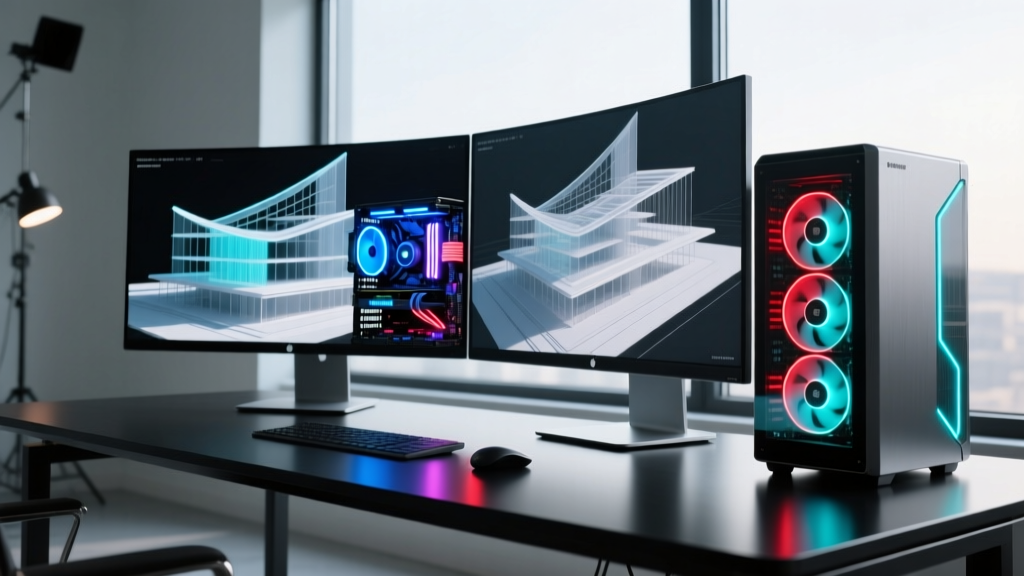
Additionally, factor in the cost of ergonomic and high-resolution displays. BIM coordinators require dual 27-inch 4K monitors or ultrawide 34-inch curved displays to view 3D viewports alongside scheduling data. Budget an additional $600 to $900 per desk for color-accurate IPS panels.
Build vs. Pre-Built: Which is Right for Your Firm?
While building a computer in-house saves roughly 15% to 20% on hardware costs compared to buying a premium pre-built workstation from a boutique integrator, it shifts the burden of troubleshooting to your internal IT staff. If a custom-built PC experiences a motherboard failure during a critical bid deadline, your team is responsible for the RMA process and downtime.
"For firms with fewer than five BIM coordinators, custom-building via PCPartPicker lists and assembling them locally is highly cost-effective. For enterprise construction firms deploying 50+ workstations across multiple regional offices, the 3-year next-business-day on-site warranties provided by OEMs like Dell Precision or Lenovo ThinkStation justify the 20% price premium."
Final Budgeting Framework
To accurately estimate your IT capital expenditure for the upcoming fiscal year, multiply the number of staff in each tier by the median cost of that tier, then add a 15% contingency for peripherals, UPS battery backups, and extended warranties. By understanding the specific hardware demands of construction software, you can avoid the dual pitfalls of overspending on unnecessary enterprise-grade server parts or underfunding workstations that will bottleneck your most expensive BIM talent.
Written by
Priya KapoorPriya Kapoor is a real estate market analyst and construction economics researcher with expertise in housing affordability, development feasibility, and infrastructure investment. She holds a Master of Regional Planning from Cornell University and previously worked as a senior analyst at CBRE's Investment Properties group, where she modeled returns for $4B in mixed-use development pipelines. Priya now runs an independent research practice advising developers, municipalities, and REITs on construction cost forecasting and market timing. She publishes the quarterly "BuildMat Market Pulse" report tracking material price indices across 12 commodity categories. Based in Austin, TX, Priya serves on the board of Habitat for Humanity Austin and is a marathon runner.
More from Priya Kapoor
View all
Construction Cost
Cost to Build a 1600 Sq Ft Home in 2026: Full Breakdown
Accurate 2026 cost to build a 1600 sq ft home—material, labor, and regional pricing breakdowns included. Plan your budget with real-time estimates.
Aug 11, 2026

Wood & Lumber
Name the Types of Wood for Pressure Treatment and Preservation
Learn how to name the types of wood best suited for pressure treatment. Compare species treatability, chemical retention levels, and 2026 preservation costs.
Aug 4, 2026
Stone & Masonry
Stone Veneer Suppliers Lindenhurst: 2026 Cost Analysis
Analyze 2026 stone veneer costs in Lindenhurst, NY. Compare local supplier pricing, delivery fees, and Suffolk County installation labor rates.
Aug 4, 2026