Cost to Build a Gaming Computer in 2026: Tier Comparison
Compare the cost to build a gaming computer in 2026 across budget, mid-range, and enthusiast tiers. Detailed part lists, pricing, and metrics.
The 2026 Component Market: Pricing Shifts and Availability
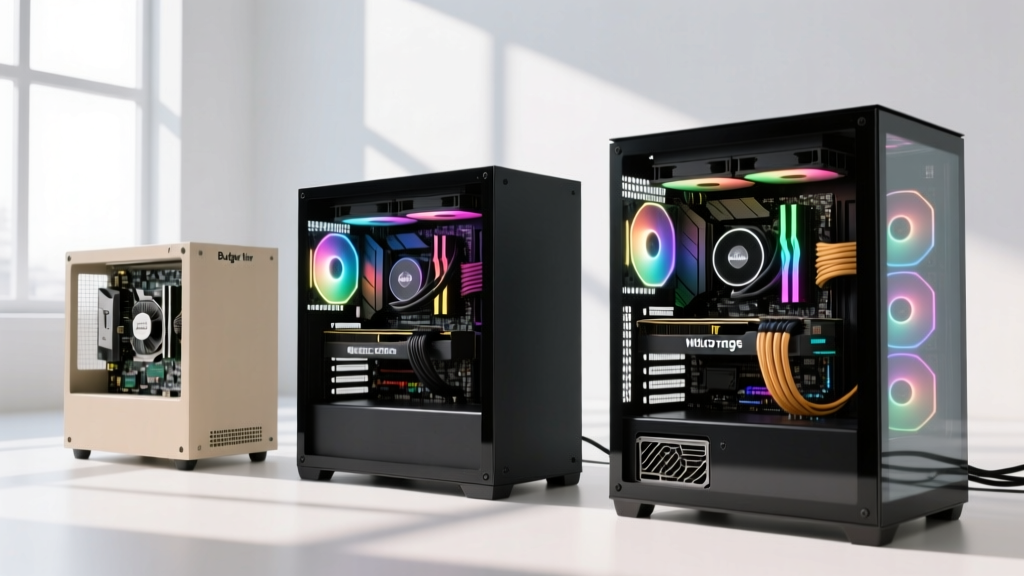
Estimating the cost to build a gaming computer in 2026 requires navigating a matured DDR5 market, the widespread adoption of PCIe 5.0 storage, and a bifurcated GPU landscape dominated by NVIDIA's RTX 50-series and AMD's RDNA 4 architecture. Unlike previous years characterized by severe silicon shortages, the current market offers stable pricing but demands precise component matching to avoid bottlenecking. The baseline cost of entry has risen slightly due to the mandatory transition to ATX 3.1 power supply standards and the phase-out of DDR4 platforms on modern motherboards.
According to the Steam Hardware Survey, 1440p has firmly overtaken 1080p as the dominant monitor resolution for PC gamers, shifting the 'sweet spot' of hardware investments toward mid-range GPUs with 12GB to 16GB of VRAM. When calculating your bill of materials, you must account for platform longevity; investing in an AM5 or LGA 1851 socket dictates your upgrade trajectory for the next four to five years.
Tier 1: The 1080p Foundation (Budget Estimate: $780–$890)
The entry-level tier focuses on maximizing frame rates at 1080p without overspending on aesthetic premiums. The objective here is pure price-to-performance, utilizing last-generation flagship components that have seen aggressive price cuts in 2026.
| Component | Recommended Model | Est. Cost |
|---|---|---|
| CPU | AMD Ryzen 5 7600 (6-core, AM5) | $165 |
| Motherboard | ASRock B650M Pro RS WiFi (Micro-ATX) | $135 |
| GPU | AMD Radeon RX 7600 XT 16GB | $270 |
| RAM | Silicon Power 32GB (2x16GB) DDR5-6000 CL30 | $85 |
| Storage | WD Black SN770 1TB PCIe Gen4 NVMe | $65 |
| Power Supply | Corsair RM650e (650W, ATX 3.0) | $80 |
| Case & Cooling | Montech AIR 100 ARGB + Stock Cooler | $75 |
| Total | $875 |
Tier 2: The 1440p Sweet Spot (Mid-Range Estimate: $1,550–$1,750)
This tier represents the highest return on investment for modern AAA gaming. The target is 1440p at 144Hz+ with ray tracing enabled. The cost to build a gaming computer at this level requires balancing a high-end GPU with a CPU capable of feeding it data without stuttering. We utilize the Tom's Hardware GPU Hierarchy to ensure the selected graphics card sits in the upper-echelon of rasterization performance.
| Component | Recommended Model | Est. Cost |
|---|---|---|
| CPU | AMD Ryzen 7 9800X3D (8-core, 3D V-Cache) | $449 |
| Motherboard | MSI MAG B650 TOMAHAWK WIFI | $190 |
| GPU | NVIDIA GeForce RTX 5070 12GB (or 4070 Ti Super) | $650 |
| RAM | G.Skill Flare X5 32GB DDR5-6000 CL30 | $105 |
| Storage | Crucial T705 2TB PCIe Gen5 NVMe | $160 |
| Power Supply | Seasonic FOCUS GX-850 ATX 3.1 (850W) | $130 |
| Case & Cooling | Lian Li Lancool 216 + Thermalright Peerless Assassin | $145 |
| Total | $1,829 |
Cost-Per-Frame Analysis
When evaluating the cost to build a gaming computer, raw totals can be misleading. The RTX 5070 paired with the 9800X3D yields an average of 135 FPS in modern titles at 1440p Ultra settings. Dividing the $1,829 system cost by the 144Hz monitor target reveals a cost of $12.70 per targeted frame. By contrast, stepping down to an RTX 4060 Ti drops the system cost to $1,200 but yields only 75 FPS, resulting in a worse $16.00 per frame ratio. Mid-range builds inherently offer superior mathematical efficiency.
Tier 3: 4K Enthusiast (No-Compromise Estimate: $3,400–$4,100)
Building at the enthusiast level abandons price-to-performance ratios in favor of absolute ceiling performance, native 4K ray tracing, and heavy local AI/machine learning workloads. This bill of materials requires specialized cooling and high-wattage infrastructure.
- CPU: Intel Core Ultra 9 285K (LGA 1851) — $580
- Motherboard: ASUS ROG STRIX Z890-E GAMING WIFI — $380
- GPU: NVIDIA GeForce RTX 5090 32GB — $1,799
- RAM: Corsair Dominator Titanium 64GB (2x32GB) DDR5-7200 — $280
- Storage: Samsung 990 PRO 4TB PCIe Gen4 (x2) — $340
- Power Supply: Corsair HX1500i (1500W, 80+ Platinum, ATX 3.1) — $320
- Cooling: Arctic Liquid Freezer III 360mm AIO — $140
- Case: Fractal Design North XL (Mesh) — $150
- Total Estimated Cost: $3,989
Hidden Construction Costs: Assembly, Licensing, and Peripherals
A common error in PC cost estimation is calculating only the core tower components. To deliver a fully operational system, you must allocate budget for the following frequently overlooked line items:
- Operating System Licensing: A retail Windows 11 Pro license costs $199, though OEM keys or educational licenses can reduce this to $20–$50. Factor in at least $30 for a legitimate digital license.
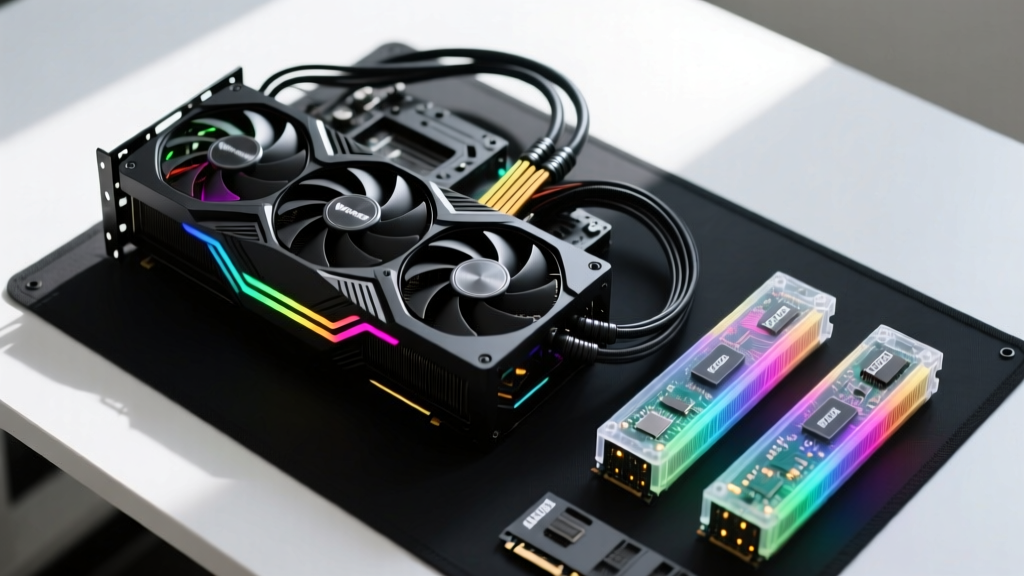
- Modular Cabling: If building a high-end system with a glass side panel, custom sleeved PCIe 5.0 12V-2x6 cables (e.g., from CableMod) cost between $70 and $120 and are vital for both aesthetics and preventing connector melting.
- Monitor Pairing: A $1,800 PC is severely bottlenecked by a $150 60Hz monitor. Allocate $400–$600 for a 1440p 240Hz OLED panel (like the Alienware AW2725DF) to actually realize the hardware's output.
- Surge Protection & UPS: An APC Back-UPS Pro 1500VA is a $220 necessity to protect a $3,900 enthusiast build from voltage sags and dirty power.
Strategic Sourcing and Warranty Considerations
Where you source components impacts the final cost to build a gaming computer just as much as the parts themselves. In 2026, buying CPUs and motherboards as 'combo bundles' from retailers like Newegg or Micro Center routinely yields $40 to $80 in instant savings. Furthermore, always verify the RMA (Return Merchandise Authorization) policies of the manufacturer. Brands like Corsair and Seasonic offer 10-year warranties on their power supplies, which justifies a 15% premium over budget alternatives that only carry 3-year coverage.
For comprehensive step-by-step assembly techniques and grounding procedures to prevent electrostatic discharge during your build, refer to the evergreen guides maintained by PC Gamer. Proper assembly ensures that the capital invested in your components translates directly into stable, long-term performance without hardware degradation.
Written by
Priya KapoorPriya Kapoor is a real estate market analyst and construction economics researcher with expertise in housing affordability, development feasibility, and infrastructure investment. She holds a Master of Regional Planning from Cornell University and previously worked as a senior analyst at CBRE's Investment Properties group, where she modeled returns for $4B in mixed-use development pipelines. Priya now runs an independent research practice advising developers, municipalities, and REITs on construction cost forecasting and market timing. She publishes the quarterly "BuildMat Market Pulse" report tracking material price indices across 12 commodity categories. Based in Austin, TX, Priya serves on the board of Habitat for Humanity Austin and is a marathon runner.
More from Priya Kapoor
View all
Construction Cost
Cost to Build a 1600 Sq Ft Home in 2026: Full Breakdown
Accurate 2026 cost to build a 1600 sq ft home—material, labor, and regional pricing breakdowns included. Plan your budget with real-time estimates.
Aug 11, 2026

Wood & Lumber
Name the Types of Wood for Pressure Treatment and Preservation
Learn how to name the types of wood best suited for pressure treatment. Compare species treatability, chemical retention levels, and 2026 preservation costs.
Aug 4, 2026
Stone & Masonry
Stone Veneer Suppliers Lindenhurst: 2026 Cost Analysis
Analyze 2026 stone veneer costs in Lindenhurst, NY. Compare local supplier pricing, delivery fees, and Suffolk County installation labor rates.
Aug 4, 2026