The True Cost to Build a Website on WordPress for Contractors
Discover the exact cost to build a website on WordPress for construction firms. Detailed 2026 breakdown of hosting, themes, plugins, and developer fees.
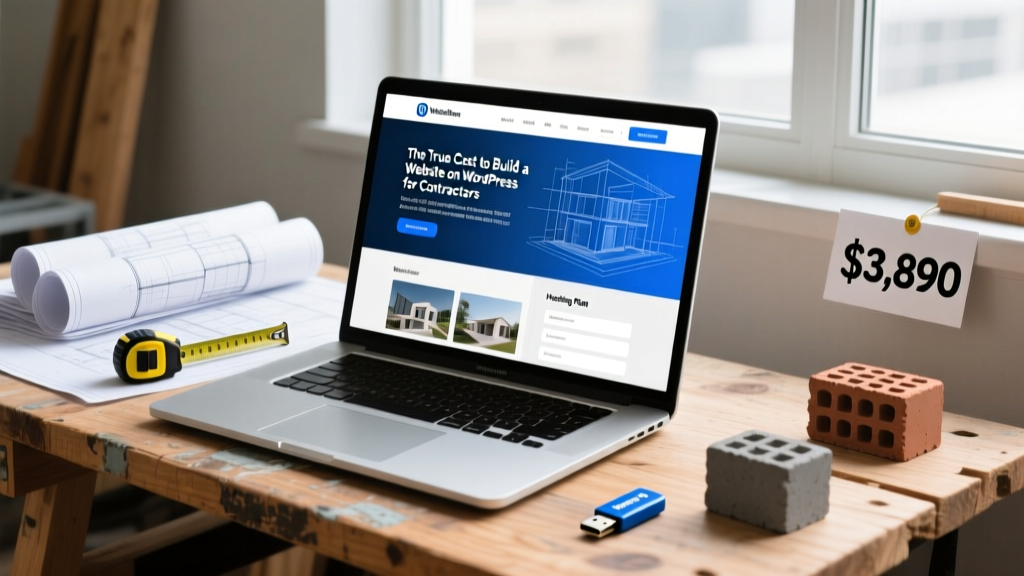
The Digital Foundation: Why WordPress Dominates Construction
For general contractors, material suppliers, and specialized tradespeople, a digital presence functions as a 24/7 project showroom and lead qualification engine. When calculating the cost to build a website on WordPress, construction professionals must look beyond basic brochure sites and budget for high-performance infrastructure capable of hosting heavy image portfolios, client portals, and interactive estimating forms. According to data from W3Techs, WordPress powers over 43% of all websites globally, largely due to its open-source flexibility and extensive plugin ecosystem tailored for B2B and service-based industries.
Core Infrastructure: Domains, Hosting, and SSL
The foundation of your digital asset requires reliable hosting. Construction websites are notoriously image-heavy, requiring robust server resources to maintain passing Core Web Vitals scores when loading high-resolution project galleries.
| Hosting Tier | Provider Example | Annual Cost | Best For |
|---|---|---|---|
| Shared (Entry) | SiteGround StartUp | $180 - $240 | Solo handymen, single-page landing sites |
| Managed WordPress | WP Engine Startup | $240 - $360 | Active GCs with high-res portfolios and blogs |
| Dedicated / Cloud | Kinsta Business 1 | $420 - $600 | Mid-size firms with client portals and high traffic |
According to SiteGround’s hosting architecture documentation, managed WordPress environments include automated daily backups, staging environments for testing plugin updates, and server-level caching. For a standard domain name (.com), budget $15 to $25 annually via registrars like Namecheap or Cloudflare. SSL certificates are typically bundled for free with managed hosting via Let’s Encrypt, eliminating a historical $75/year line item.
Theme Selection: Performance Over Bloat
A common mistake in construction web design is purchasing a $69 "Construction Theme" from a marketplace like ThemeForest. These themes are often bloated with unnecessary sliders and shortcodes that cripple mobile load times—a critical failure point when property managers or homeowners are browsing your site on cellular networks.
The Lightweight Framework Approach
Expert developers pair a lightweight, performance-optimized framework with a visual page builder. This ensures your project galleries load instantly while maintaining design flexibility.
- Astra Pro ($59/year): Integrates seamlessly with Beaver Builder or Elementor. Offers pre-built templates specifically for roofers, plumbers, and general contractors.
- GeneratePress Premium ($59/year): The gold standard for speed. Adds less than 10kb of CSS to your pages, virtually guaranteeing a 95+ score on Google PageSpeed Insights.
- Bricks Builder ($79/year): A newer, developer-focused visual builder that outputs exceptionally clean code, ideal for custom commercial construction portfolios.
The Contractor’s Plugin Stack
Plugins transform a basic WordPress installation into a lead-generating machine. Budgeting for premium plugins is non-negotiable for security, SEO, and advanced form routing.
| Plugin Category | Recommended Tool | Annual Cost | Construction Use Case |
|---|---|---|---|
| Lead Capture | Gravity Forms Elite | $159 | Multi-step project intake forms, file uploads for blueprints |
| SEO & Local | Yoast SEO Premium | $99 | Optimizing for "[City] commercial roofing contractor" keywords |
| Security | Wordfence Premium | $119 | Blocking brute-force attacks and malicious bot traffic |
| Caching & Speed | WP Rocket | $59 | Minifying CSS/JS and lazy-loading heavy project images |
| Backups | UpdraftPlus Premium | $70 | Automated off-site backups to AWS or Google Drive |
As outlined by the WordPress.org foundation, keeping these premium plugins updated is vital for patching security vulnerabilities. The total annual software licensing for a professional contractor stack typically lands between $450 and $600.
Labor Costs: DIY vs. Freelance vs. Agency
The most significant variable in the cost to build a website on WordPress is human capital. Construction business owners must decide whether to invest their own time or hire specialized talent.
1. The DIY Route ($500 - $800 Total)
Best for solo operators with technical aptitude. You will handle DNS configuration, theme installation, and content population. The primary cost is your time and the software licenses mentioned above. Expect to spend 40 to 80 hours learning the platform, troubleshooting responsive design issues, and writing copy.
2. Freelance WordPress Developer ($2,500 - $6,000)
A mid-level freelancer will provide a custom child theme, configure your plugin stack, and ensure mobile responsiveness. For this price, expect a 5-to-10-page site including a homepage, services breakdown, project gallery, about page, and contact/estimator forms. Ensure the contract includes a 30-day post-launch bug-fixing period and a recorded video tutorial on how to upload new project photos.
3. Specialized Construction Marketing Agency ($8,000 - $25,000+)
Agencies do not just build websites; they build conversion funnels. This tier includes professional copywriting tailored to your specific trade (e.g., highlighting your OSHA safety records or specialized licensing), professional photography coordination for your active job sites, and deep integration with construction CRMs like JobNimbus or Buildertrend.
Ongoing Maintenance and Hidden Renewal Fees
Websites are not static assets; they require continuous maintenance. Failing to budget for year-two renewals is a primary reason construction sites fall into disrepair or get hacked.
- Hosting Renewals: Many shared hosts offer a $3.99/mo introductory rate that renews at $15.99/mo. Always calculate costs based on the renewal price.
- Software Licenses: Your theme and premium plugins will require annual renewals to maintain access to updates and support.
- Content Updates: Budget $50 to $150 per month for a virtual assistant or junior developer to upload new project case studies, update team bios, and publish SEO-optimized blog posts about local building codes or material trends.
Total Cost Scenarios: Year One vs. Year Two
To provide a definitive financial framework, here are three distinct build scenarios for construction businesses launching in 2026.
| Scenario | Profile | Year 1 Capital | Year 2 Recurring |
|---|---|---|---|
| Lean Startup | Solo Handyman / Painter | $600 - $900 | $250 - $350 |
| Established GC | Residential Remodeler | $3,500 - $5,500 | $800 - $1,100 |
| Commercial Firm | Mid-Size Commercial Builder | $12,000 - $20,000 | $2,500 - $4,000 |
By treating your WordPress website as a critical piece of business infrastructure rather than a digital brochure, you allocate capital toward speed, security, and lead conversion. The initial investment pays for itself when a single commercial roofing lead or high-end kitchen remodel inquiry is captured through a properly optimized, fast-loading estimating form.
Written by
Priya KapoorPriya Kapoor is a real estate market analyst and construction economics researcher with expertise in housing affordability, development feasibility, and infrastructure investment. She holds a Master of Regional Planning from Cornell University and previously worked as a senior analyst at CBRE's Investment Properties group, where she modeled returns for $4B in mixed-use development pipelines. Priya now runs an independent research practice advising developers, municipalities, and REITs on construction cost forecasting and market timing. She publishes the quarterly "BuildMat Market Pulse" report tracking material price indices across 12 commodity categories. Based in Austin, TX, Priya serves on the board of Habitat for Humanity Austin and is a marathon runner.
More from Priya Kapoor
View all
Construction Cost
Cost to Build a 1600 Sq Ft Home in 2026: Full Breakdown
Accurate 2026 cost to build a 1600 sq ft home—material, labor, and regional pricing breakdowns included. Plan your budget with real-time estimates.
Aug 11, 2026
Wood & Lumber
Name the Types of Wood for Pressure Treatment and Preservation
Learn how to name the types of wood best suited for pressure treatment. Compare species treatability, chemical retention levels, and 2026 preservation costs.
Aug 4, 2026

Stone & Masonry
Stone Veneer Suppliers Lindenhurst: 2026 Cost Analysis
Analyze 2026 stone veneer costs in Lindenhurst, NY. Compare local supplier pricing, delivery fees, and Suffolk County installation labor rates.
Aug 4, 2026