Concrete Calc Pro Review: Calculated Industries Job Site Deep Dive
Deep dive into the Calculated Industries Concrete Calc Pro. Explore its volume, yield, and weight features, job site durability, and app alternatives.
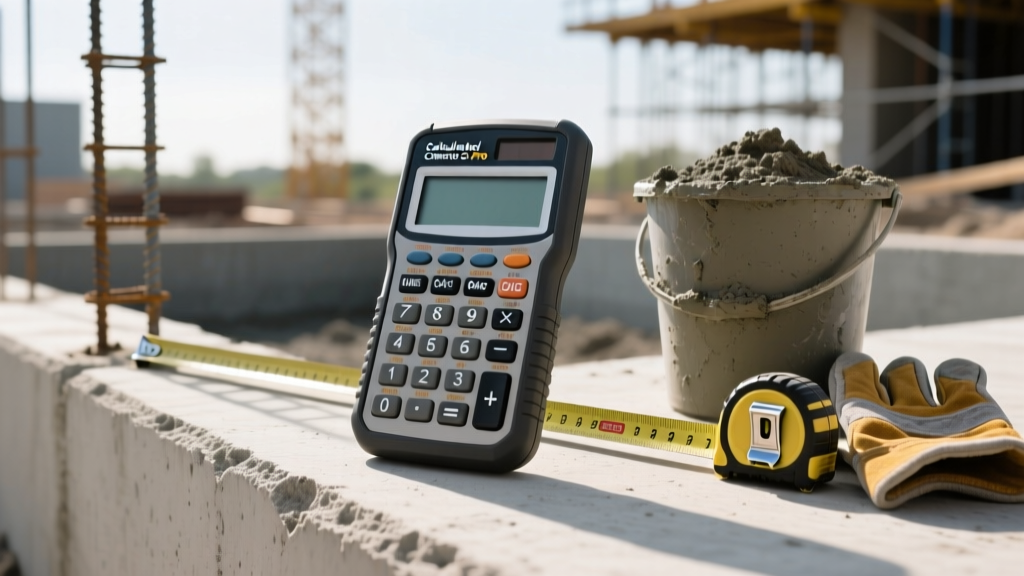
The Role of Dedicated Hardware in Modern Estimating
While smartphone applications have proliferated across construction sites, dedicated physical calculators remain a staple for commercial concrete contractors and estimators. The Calculated Industries Concrete Calc Pro (Model 4055) represents the industry standard for on-the-fly volume, weight, and yield calculations. This deep dive examines the specific hardware architecture, calculation engine, and job-site viability of this concrete calc, contrasting its physical utility against modern digital alternatives.
For professionals pouring everything from continuous footings to complex circular columns, understanding the precise capabilities and limitations of this tool is critical for minimizing material overages and preventing short-loads from ready-mix plants.
Hardware Architecture and Job Site Durability
The physical design of the Concrete Calc Pro is engineered specifically for environments where touchscreens fail. The unit features a high-contrast LCD screen that remains legible under direct, high-lumen sunlight—a common failure point for OLED smartphone screens on exposed slab pours.
Tactile Feedback and Glove Compatibility
The keypad utilizes raised, rubberized buttons with distinct tactile clicks. This allows estimators and foremen to input dimensions while wearing standard leather-palm or nitrile-dipped work gloves. The dedicated function keys (e.g., cu yd, cu ft, sq ft) are color-coded and physically separated, reducing input errors during rapid field calculations.
Environmental Tolerances
- Casing: Reinforced ABS plastic with a protective sliding hard-cover.
- Dust/Water Resistance: While not fully IP68 waterproof, the sealed membrane keypad prevents concrete dust and light moisture ingress from destroying the internal PCB.
- Power Supply: Operates on a single CR2032 lithium coin cell, yielding approximately 1 to 2 years of standard job-site use, eliminating the daily charging friction required by mobile devices.
Core Calculation Engine: Volume, Weight, and Yields
The primary value proposition of this concrete calc lies in its pre-programmed construction logic. Unlike standard scientific calculators, the 4055 model natively understands imperial and metric construction dimensions, seamlessly converting linear feet, inches, and fractional inches into cubic volumes.
Standard Slab and Footing Keystrokes
Calculating a standard rectangular slab requires minimal keystrokes. For a slab measuring 40 feet by 25 feet, 6 inches thick:
- Enter
40-> press Feet - Enter
25-> press Feet - Enter
6-> press Inch - Press Volume (displays 18.51852 cu yd)
The engine automatically handles the fractional math and dimensional conversions, outputting the exact cubic yardage required for the ready-mix order.
Weight and Yield Calculations
Understanding the weight of the pour is essential for structural engineering sign-offs and crane hoisting limits for concrete buckets. By default, the calculator uses the standard normal-weight concrete density of 150 pounds per cubic foot (4,050 pounds per cubic yard), aligning with standard Portland Cement Association baselines for typical aggregate mixes.
If your project specifies lightweight structural concrete (typically 115 lbs/cu ft), you must manually override the default weight. Press the Weight key, enter
115, and press lbs/cu ft to recalibrate the yield and total tonnage outputs for the specific mix design.Advanced Estimating: Blocks, Rebar, and Circular Columns
Beyond basic flatwork, the Concrete Calc Pro includes dedicated modules for masonry and reinforcing steel, bridging the gap between concrete placement and structural reinforcement.
Circular Column and Pier Calculations
Calculating the volume of cylindrical piers is a frequent pain point that causes short-loads on bridge and deck projects. The calculator features a dedicated Circle/Cylinder function. By inputting the diameter and the depth (height) of the sonotube, the internal logic applies the pi-radius-squared formula and instantly converts the result to cubic yards or the number of 60lb/80lb bags required for small-scale mixing.
Rebar Linear Footage and Lapping
The rebar function allows users to input the total linear footage of reinforcing steel and automatically calculates the number of standard 20-foot or 30-foot sticks required. Crucially, it includes a built-in lapping allowance feature. By setting a lap splice length (e.g., 40 bar diameters for a #5 bar), the calculator adjusts the total linear requirement to account for overlaps, ensuring accurate rebar purchase orders.
Job Site Decision Matrix: Physical Calc vs. Mobile Apps
Is a dedicated $120 piece of hardware justified when free concrete calculator apps exist? The following matrix breaks down the operational realities of both tools in active construction environments.
| Feature / Scenario | Calculated Industries Concrete Calc Pro | Standard Smartphone App (e.g., Mobifusion) |
|---|---|---|
| Direct Sunlight Visibility | Excellent (High-contrast reflective LCD) | Poor (OLED glare, auto-dimming issues) |
| Input with Work Gloves | Excellent (Tactile, raised rubber keys) | Poor (Requires glove removal or stylus) |
| Battery Reliability | Excellent (1-2 years on CR2032) | Variable (Drains phone battery needed for calls) |
| Complex Takeoff Integration | Poor (Manual entry only) | Good (Can integrate with digital plan PDFs) |
| Wet / Muddy Conditions | Good (Sealed keypad, wipeable) | Poor (Capacitive screens fail with water/mud) |
| Current Retail Cost (2026) | ~$119 - $139 USD | $0 - $9.99 USD |
Real-World Edge Cases and Operational Gotchas
While the Calculated Industries tool is highly accurate, contractors must be aware of specific operational nuances to avoid costly estimation errors.
The Waste Factor Omission
The most common mistake made by new users is assuming the calculator automatically factors in material waste, spillage, and subgrade over-excavation. The Concrete Calc Pro outputs the exact mathematical volume of the forms. It does not automatically add a 5% to 10% waste factor. Estimators must manually apply the percentage addition using the % key after finding the base volume, or risk ordering a truck that is 0.5 yards short due to minor subgrade settling.
Fractional Inch Rounding
When dealing with complex architectural slopes (e.g., a garage slab sloping 1/8 inch per foot over 24 feet), the calculator handles the fractional depth seamlessly. However, when converting the final cubic yardage to 80-pound bags for hand-mixing, the output will provide a decimal (e.g., 42.6 bags). The hardware does not automatically round up to the nearest whole bag; the user must manually round up to ensure adequate material on site.
Metric vs. Imperial Toggling
For contractors working on international projects or specific civil engineering sites requiring metric outputs, the device supports metric conversions. However, the metric toggle is buried in the preference menu (accessed via the Prefs key). Attempting to mix metric inputs with imperial output keys will result in an error display. Users must commit to a single measurement system per session to maintain compliance with American Concrete Institute (ACI) reporting standards.
Final Verdict for Concrete Professionals
The Calculated Industries Concrete Calc Pro remains an indispensable tool for field superintendents, ready-mix dispatchers, and concrete estimators. While it lacks the cloud-syncing capabilities of modern estimating software, its rugged physical design, glove-friendly interface, and instant dimensional conversions solve the specific, high-friction problems encountered in muddy, bright, and fast-paced pouring environments. For professionals whose profit margins depend on exact yardage and zero short-loads, the hardware pays for itself on the very first accurately ordered truck.