Financing Guide: How Much Does It Cost to Build a Church Website?
Discover how much it costs to build a church website in 2026. This financing guide breaks down platform fees, development costs, and funding strategies.
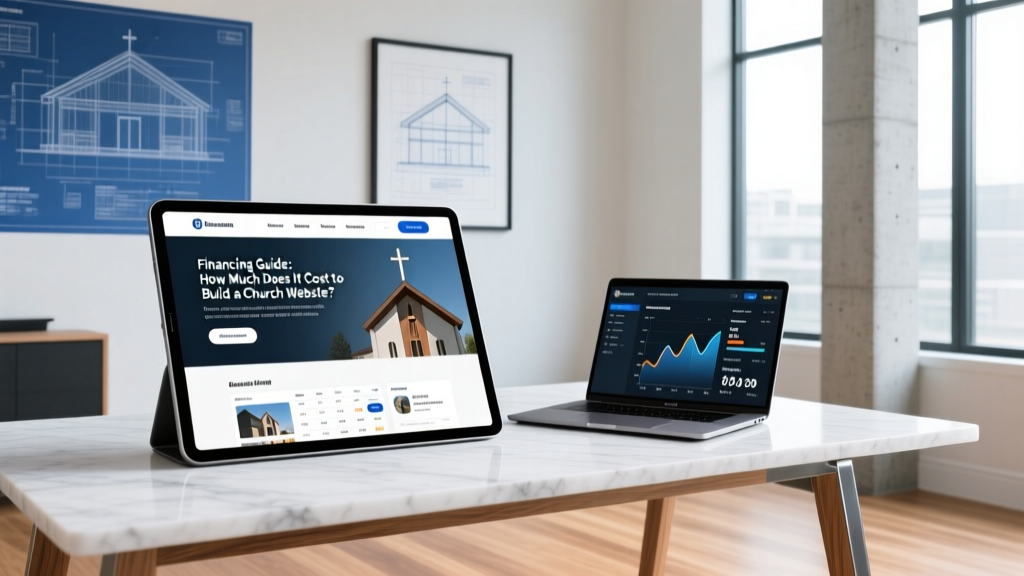
The Digital Foundation: Budgeting for Your Church's Online Campus
When a church finance committee allocates capital for a new building project, the physical structure often consumes 98% of the budget, leaving digital infrastructure as an afterthought. However, in 2026, a church's website functions as its primary digital campus, requiring the same rigorous cost estimation, architectural planning, and financial oversight as a physical sanctuary. Understanding exactly how much it costs to build a church website is critical for treasurers and building pastors who need to present accurate soft costs to stakeholders and capital campaign donors.
Itemized Cost Breakdown: Building the Digital Sanctuary
The total cost to build a church website ranges from $4,500 for a lean, template-based SaaS deployment to over $45,000 for a fully custom, API-integrated digital ecosystem. Below is the 2026 cost matrix for church web development, categorized by budget tier.
| Component | Lean Tier (Small Church) | Standard Tier (Mid-Size) | Premium Tier (Megachurch) |
|---|---|---|---|
| Domain & Hosting | $150/yr (Shared) | $600/yr (Managed WP) | $2,500+/yr (Dedicated Cloud) |
| Platform / CMS Licensing | $1,800/yr (SaaS) | $3,600/yr (SaaS/Pro) | Custom (Open Source + Plugins) |
| Design & Development | $2,500 - $5,000 | $8,000 - $15,000 | $25,000 - $50,000+ |
| Content Production | $500 (DIY/Stock) | $3,500 (Pro Photo/Video) | $10,000+ (Cinematic/Drone) |
| API & ChMS Integration | $0 (Native Embeds) | $2,500 (Middleware) | $6,000+ (Custom Code) |
| Total Initial Capital | $4,950 - $7,450 | $17,700 - $26,100 | $43,500 - $80,000+ |
Platform Selection: SaaS vs. Open Source CMS
The most significant financial decision in your digital build is the underlying platform. This choice dictates not only initial development costs but long-term maintenance liabilities.
Church-Specific SaaS (Subsplash, Nucleus, Cloversites)
Software-as-a-Service platforms built specifically for ministries offer out-of-the-box integrations with sermon audio, giving, and event registration. In 2026, enterprise church SaaS pricing is typically tiered by congregation size or annual revenue, ranging from $150 to $450+ per month. The financial advantage here is predictable operational expenditure (OpEx) and zero server maintenance. The trade-off is design rigidity; you are constrained to their templated ecosystems, which can make a 5,000-member church's site look identical to a 200-member church's site.
General CMS (WordPress, Webflow)
For mid-to-large churches requiring bespoke user experiences, WordPress (paired with managed hosting like Kinsta or WP Engine) or Webflow remains the standard. While the core software is free or low-cost, the financial burden shifts to capital expenditure (CapEx) for custom development. You must also budget $1,000 to $2,500 annually for premium plugin licenses (e.g., Advanced Custom Fields, WP Rocket, security suites) and specialized developer retainers for core updates.
Hidden Costs and Compliance Edge Cases
Finance committees frequently approve web budgets that fail to account for backend compliance and middleware integrations. These hidden costs can derail a digital project post-launch.
The ADA Compliance Liability: While physical church buildings sometimes claim religious exemptions under Title III of the ADA, digital accessibility lawsuits against nonprofits and religious organizations have surged. Adhering to the W3C Web Content Accessibility Guidelines (WCAG) 2.2 Level AA is the safest risk-mitigation strategy. Budget $1,500 to $3,000 for an accessibility audit and remediation coding to ensure screen-reader compatibility and proper color contrast ratios.
ChMS API Middleware: If your church uses Planning Center Online (PCO) or Pushpay, native iframe embeds often break the mobile UX of high-end custom themes. Building custom API middleware using tools like Make.com or writing custom PHP/Node.js scripts to sync group registrations and giving data seamlessly into your website's database costs between $2,500 and $6,000 in initial development, plus $50 to $150 monthly in API call and server processing fees.
Financing Strategies for Digital Infrastructure
Securing capital for a church website requires leveraging both internal campaign structures and external nonprofit funding avenues. According to the National Council of Nonprofits, technology infrastructure should ideally comprise 3% to 5% of a nonprofit's total operating budget. For a church with a $1.5M annual budget, the website and digital stack should be funded accordingly.
- Capital Campaign Allocation: Dedicate 1.5% to 2% of your total physical building campaign goal specifically to the 'Digital Campus.' If you are raising $5M for a new sanctuary, $75,000 to $100,000 should be ring-fenced for digital infrastructure, AV streaming integration, and web development.
- Denominational & Tech Grants: Many denominations offer matching grants for digital evangelism tools. Furthermore, platforms like TechSoup provide massive discounts on software and hosting for verified 501(c)(3) organizations. To qualify for these grants and discounts, your finance team must first verify your active status via the IRS Tax Exempt Organization Search tool.
- Monthly Tech Reserve Fund: Instead of relying solely on capital campaigns, allocate 5% of all recurring digital tithes and online giving directly into a restricted 'Technology Replacement Fund.' This ensures you have the capital to rebuild or overhaul the website every 4 to 5 years without requesting special offerings.
- Sweat Equity vs. Professional Labor: While using a volunteer web developer saves upfront CapEx, it introduces massive long-term risk. If the volunteer leaves, the church is often left with an unmaintainable codebase. Always budget for professional agency development for the core architecture, utilizing volunteers only for ongoing content updates (sermon uploads, blog posts).
Step-by-Step Financial Allocation Plan
To execute the financing and procurement of your church website, the finance committee and building team should follow this sequential allocation plan:
- Conduct a Digital Audit (Month 1): Assess the current site's technical debt, mobile responsiveness, and giving conversion rates. Determine if a complete tear-down (rebuild) or a cosmetic renovation (reskin) is required.
- Define the API Ecosystem (Month 2): Map out every third-party tool the site must talk to (e.g., Pushpay for giving, Planning Center for events, Mailchimp for newsletters). Request custom integration quotes from developers based on this exact map.
- Secure Capital & Ring-Fence Funds (Month 3): Present the itemized matrix to the church board. Move the approved funds into a restricted ledger account to prevent them from being absorbed by general operating expenses.
- Procure Hosting & Domain Assets (Month 4): Purchase the domain, secure managed hosting, and set up SSL certificates and CDN routing before the development phase begins to ensure a secure staging environment.
- Establish the Maintenance Retainer (Month 5+): Before signing off on the final build, sign an annual maintenance contract with the development agency covering daily backups, malware scanning, CMS core updates, and WCAG compliance monitoring.
By treating your church website with the same financial rigor as a physical brick-and-mortar expansion, you ensure that your digital campus remains secure, compliant, and capable of supporting your ministry's growth for the next decade.
Written by
David NakamuraDavid Nakamura is a licensed architect (AIA) and construction technology writer focused on sustainable building methods, mass timber engineering, and high-performance building envelopes. He holds a Master of Architecture from the University of Washington and is a certified Passive House Consultant (CPHC). David spent eight years at the Seattle firm Mithun, where he led the design of three LEED Platinum projects, before founding his own practice specializing in net-zero residential design. He serves on the editorial advisory board of GreenBuilder Magazine and has authored peer-reviewed papers on cross-laminated timber (CLT) connections for the Journal of Structural Engineering. In his spare time, David teaches woodworking at Pratt Fine Arts Center and kayaks the Puget Sound.
More from David Nakamura
View all
Construction Cost
Labor Cost to Build a Deck Per Sq Ft: 2026 Installation Guide
Discover the exact labor cost to build a deck per sq ft in 2026. This installation guide breaks down contractor rates, complexity factors, and hidden fees.
Aug 4, 2026
Construction Cost
How Much Does It Cost to Build a 3 Bedroom House? Financing Guide
Learn exactly how much it costs to build a 3 bedroom house and explore 2026 financing options, construction loan types, and budget frameworks for your build.
Aug 4, 2026
Construction Cost
Cost to Build a Tennis Court: 2026 Guide
How much does it cost to build a tennis court in 2026? Breakdowns for asphalt, concrete, and synthetic surfaces plus fencing and lighting.
Jul 30, 2026