2026 Cost to Build an App for Construction Firms
Discover the true cost to build an app for construction estimating in 2026. Compare native vs. cross-platform pricing, tech stacks, and dev rates.
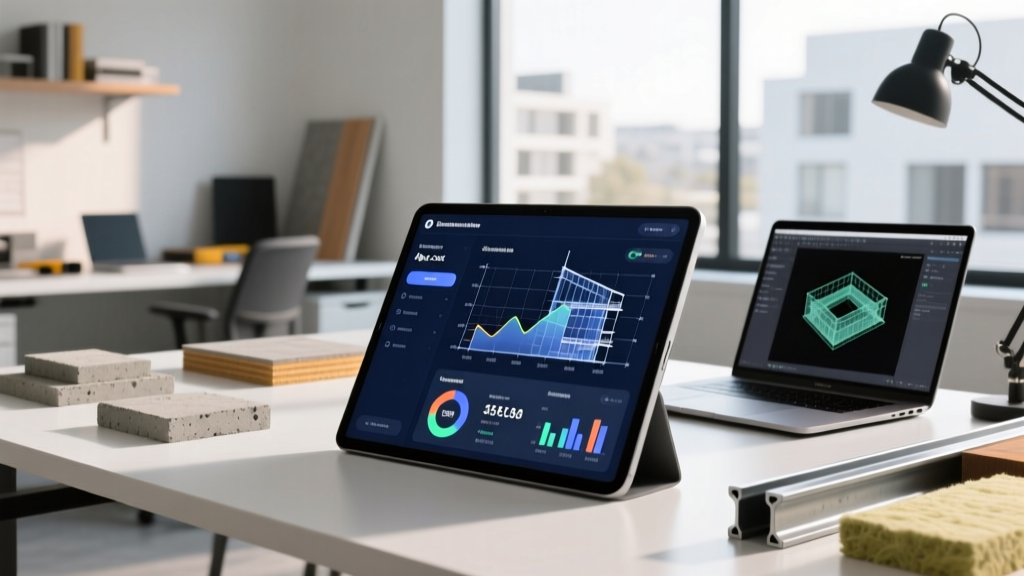
The Baseline: What Drives the Cost to Build an App?
Calculating the exact cost to build an app for construction estimating requires moving beyond generic software quotes. Unlike standard consumer applications, construction tech (PropTech) must handle heavy payload processing, complex 3D CAD rendering, and, most critically, local-first offline architectures. Job sites frequently lack reliable 5G or LTE coverage, meaning an app that relies entirely on cloud-based API calls will fail in the field. According to Clutch industry data, enterprise-grade mobile applications requiring offline synchronization and complex backend integrations typically start at $150,000, but the final price tag hinges entirely on your chosen tech stack and development geography.
For building material suppliers and general contractors, the goal is usually to digitize takeoffs, integrate real-time material pricing (via APIs like RSMeans or Home Depot Pro), and sync field change orders with the back office. Understanding the financial breakdown of these features is the first step in securing a viable ROI.
Development Approach Comparison Matrix
The framework you select dictates both your initial capital expenditure and your long-term maintenance liabilities. As of 2026, cross-platform frameworks have matured significantly, but native development still holds a narrow edge for hardware-intensive tasks like LiDAR scanning for volumetric estimations.
| Approach | Tech Stack | Estimated Cost Range | Offline Capability | Best Use Case |
|---|---|---|---|---|
| Native | Swift (iOS) / Kotlin (Android) | $180,000 - $350,000+ | Excellent (CoreData / Room) | LiDAR scanning, AR material visualization, heavy local processing |
| Cross-Platform | Flutter / React Native | $110,000 - $220,000 | Very Good (WatermelonDB / Realm) | Standard estimating, PDF markups, inventory tracking, field reporting |
| Low-Code / No-Code | FlutterFlow / Bubble | $25,000 - $60,000 | Poor to Moderate | Internal MVP testing, simple material catalogs, basic client portals |
Feature Complexity and Pricing Tiers (2026 Estimates)
BuildFire development guides emphasize that feature creep is the primary destroyer of app development budgets. To maintain financial control, construction firms must categorize their requirements into distinct tiers.
Tier 1: The Minimum Viable Product (MVP) — $45,000 to $85,000
- Core Features: User authentication, basic material database lookup, simple 2D blueprint viewing, and standard form-based estimate generation.
- Architecture: Cloud-dependent (requires active internet connection).
- Timeline: 3 to 4 months.
- Target Audience: Small subcontractors or localized building material distributors needing a digital catalog and basic quoting tool.
Tier 2: Mid-Market Field Application — $120,000 to $250,000
- Core Features: Offline-first architecture using WatermelonDB, interactive PDF markup with layer toggling, GPS-stamped photo documentation, and ERP integration (e.g., pushing estimates directly to Procore or Sage 300 CRE).
- Architecture: Local-first with background sync queues to handle intermittent job-site connectivity.
- Timeline: 5 to 8 months.
- Target Audience: Mid-sized general contractors and regional suppliers requiring seamless field-to-office data flow.
Tier 3: Enterprise PropTech Platform — $350,000 to $600,000+
- Core Features: Building Information Modeling (BIM) 3D model rendering, AI-driven predictive cost analysis based on historical bid data, IoT sensor integration for automated material tracking, and multi-tenant SaaS architecture.
- Architecture: Microservices backend (AWS/GCP), native wrappers for hardware access, advanced edge-computing for on-device AI.
- Timeline: 9 to 14+ months.
- Target Audience: National construction firms, large-scale manufacturers, or startups aiming to license the software to other contractors.
Geographic Labor Arbitrage: Where to Hire Your Dev Team
The hourly rate of your engineering team will cause the widest variance in your final invoice. While domestic US agencies offer seamless communication and strict IP protection, nearshore and offshore teams provide significant cost leverage.
- United States / Canada: $150 – $275 per hour. Ideal for enterprise platforms requiring deep integration with legacy US-based construction ERPs and strict SOC2 compliance.
- Latin America (Nearshore): $65 – $120 per hour. The premier choice for US construction firms in 2026. Time zone alignment allows for real-time agile sprint planning, and cultural proximity reduces friction in understanding US construction workflows (e.g., AIA billing standards, lien waivers).
- Eastern Europe: $55 – $100 per hour. Exceptional for complex backend architecture and algorithmic estimating engines, though time zone differences require asynchronous project management.
- South Asia (India / Pakistan): $35 – $65 per hour. Best for QA testing, frontend UI implementation, and maintenance, but requires rigorous technical oversight and strict code-review protocols from a senior US-based CTO or product manager.
Hidden Costs and Post-Launch Maintenance
The initial build is only the down payment. Operating a construction estimating app incurs recurring monthly and annual expenses that must be factored into your 5-year financial model.
| Expense Category | Estimated Annual Cost | Details & Variables |
|---|---|---|
| Cloud Infrastructure (AWS/GCP) | $12,000 - $48,000 | Scaling costs for hosting heavy PDF blueprints, 3D BIM files, and high-res site imagery. |
| Third-Party API Licensing | $5,000 - $30,000+ | RSMeans data access, Mapbox for site logistics, DocuSign for contract execution. |
| Ongoing Maintenance & Bug Fixes | 15% - 20% of initial build | OS updates (iOS/Android), security patches, and minor feature enhancements. |
| App Store & Compliance Fees | $1,500 - $5,000 | Apple Enterprise Developer accounts, annual penetration testing for data security. |

Build vs. Buy: The White-Label Alternative
Before committing $200,000 to custom development, evaluate whether a white-labeled or heavily configured off-the-shelf solution meets your needs. Platforms like Procore, PlanGrid, or Stack offer robust estimating and field management modules. If your primary goal is simply to digitize existing paper workflows, configuring an existing SaaS platform (Cost to Buy: $15,000 - $40,000 annual licensing) is vastly superior to building from scratch.
However, if your competitive advantage relies on proprietary estimating algorithms, unique material supply-chain integrations, or a highly customized client-facing portal, custom development is mandatory. In these scenarios, treat the app not as an IT expense, but as a capital asset that increases the valuation of your construction enterprise.
Written by
Sarah WhitfieldSarah Whitfield is a chartered quantity surveyor (MRICS) and construction cost analyst with 15 years of experience in material pricing, procurement strategy, and project budgeting. She earned her degree in Construction Management from the University of Reading (UK) and has worked on projects ranging from $2M custom homes to $180M mixed-use developments across North America and Europe. Sarah currently leads cost estimating for BuildMat Insight, maintaining a proprietary database of 4,000+ material price points updated quarterly. She is a frequent contributor to RSMeans cost data panels and has presented at the International Cost Engineering Council (ICEC) congress. Based in Denver, CO, Sarah is an avid trail runner and volunteer mentor for Women in Construction.
More from Sarah Whitfield
View all
Wood & Lumber
What Are the Different Types of Wood? A Builder's Guide
Compare structural softwoods, finish hardwoods, and engineered lumber. Analyze Janka ratings, MOE values, and 2026 pricing for construction.
Aug 4, 2026
Walls & Panels
Steel Framing vs Wood Framing: Corrosion and Moisture Defense
Compare steel framing vs wood framing for moisture resistance. Learn about galvanized coatings, condensation risks, and corrosion protection strategies.
Jul 21, 2026

Stone & Masonry
How to Cut Stone Veneer: Wet Saw vs Grinder Comparison
Compare the best tools for cutting stone veneer. We review wet saws, angle grinders, and chop saws to help you achieve clean, chip-free cuts.
Jul 21, 2026