2026 Cost to Build a Computer for BIM Estimating
Analyze the regional cost to build a computer for construction estimating. Compare 2026 BIM workstation prices, components, and assembly labor by US market.
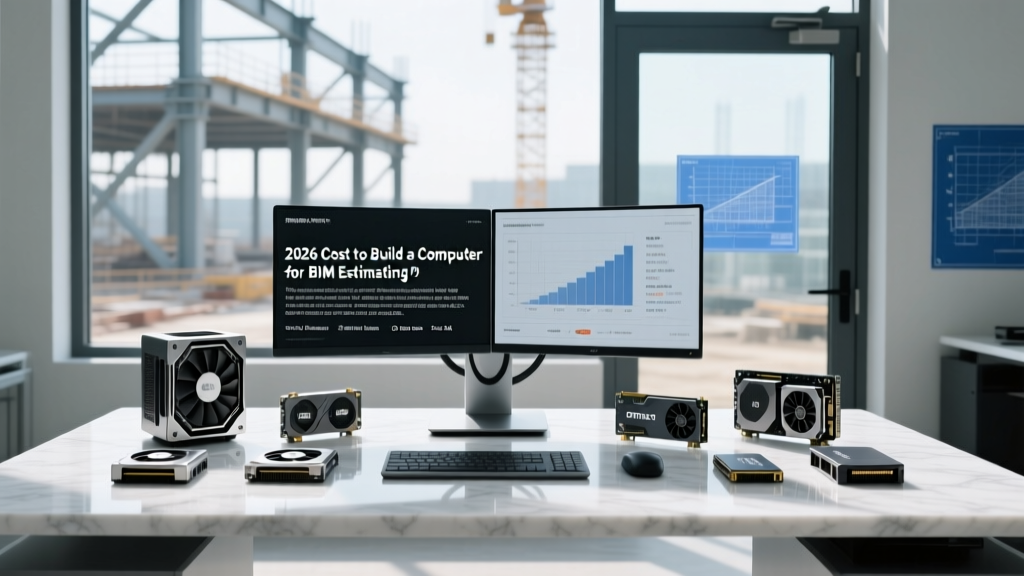
The Digital Foundation: Why Estimating Firms Build Custom Workstations
Modern construction estimating has evolved far beyond spreadsheets and 2D blueprints. Today’s preconstruction teams rely on heavy computational workloads: processing LiDAR point-cloud scans of job sites, running Navisworks clash detection on massive federated models, and rendering photorealistic Lumion walkthroughs for client bid presentations. When a lead estimator attempts to open a 500-page Bluebeam Revu bid set alongside a 12GB Revit central model, off-the-shelf consumer PCs buckle under the memory pressure. This hardware bottleneck directly impacts bid accuracy and project turnaround times.
For Architecture, Engineering, and Construction (AEC) firms, understanding the true cost to build a computer capable of handling these enterprise workloads requires a nuanced approach. It is not merely about purchasing the most expensive gaming parts; it is about sourcing ISV-certified (Independent Software Vendor) components that guarantee stability during week-long rendering tasks. Furthermore, the final price tag fluctuates significantly based on your firm's geographic location due to regional tax structures, enterprise IT labor rates, and specialized freight costs for heavy tower chassis.
Component Breakdown: What a 2026 BIM Workstation Actually Requires
Before analyzing regional price variances, we must establish the baseline hardware requirements for a high-end estimating and BIM workstation in 2026. According to Puget Systems' AEC hardware benchmarks, the bottleneck in construction software is highly specific to the task at hand.
CPU: Single-Core vs. Multi-Core Demands
Autodesk Revit remains predominantly single-threaded during active modeling and family creation. However, when estimators export schedules, run interference checks, or process reality capture data (like Autodesk Recap), multi-core performance becomes critical. The optimal balance in 2026 is the AMD Ryzen 9 7950X for pure modeling speed, or the AMD Ryzen Threadripper PRO 7965WX (24-core) for firms that heavily utilize reality capture and local rendering.
GPU: The ISV Certification Imperative
While consumer GPUs like the RTX 4090 offer immense raw power, professional AEC firms require NVIDIA RTX Professional GPUs (such as the RTX 5000 Ada Generation). These cards feature ECC (Error-Correcting Code) VRAM and official ISV certifications for Autodesk Revit, Navisworks, and Bentley MicroStation. This certification ensures that complex structural steel nodes do not visually glitch or crash the software during critical bid reviews.
Memory and Storage: Handling Massive Bid Sets
Standard DDR5 RAM is insufficient for enterprise estimating rigs. Firms must utilize 128GB to 256GB of DDR5 ECC Registered memory to prevent silent data corruption in financial models. Storage requires a tiered approach: a 2TB PCIe Gen5 NVMe drive for the OS and applications, paired with a 4TB U.2 Enterprise SSD for active project files to ensure rapid loading of massive PDF bid sets and BIM caches.
Never build an enterprise estimating workstation with non-ECC consumer memory. When an estimator is manipulating a $50M healthcare project budget in a linked Revit model, a single bit-flip memory error can corrupt the central file, costing the firm thousands of dollars in lost time and potential bid errors. Always budget for ECC Registered DDR5.
Regional Price Analysis: The True Cost to Build a Computer by US Market
The baseline cost for the components listed above hovers around $6,800 to $8,200 depending on supply chain fluctuations. However, the final cost to build a computer at the enterprise level is heavily influenced by regional economics. Below is a breakdown of how geography impacts the total capital expenditure for AEC firms outfitting their preconstruction teams.
| Region / Market | Component Base Cost | Tax & Freight Premium | IT Assembly Labor | Total Est. Cost per Rig |
|---|---|---|---|---|
| Bay Area, CA | $7,500 | $825 (10.25%+ Tax) | $450 (High Tech Wage) | $8,775 |
| Austin, TX | $7,500 | $618 (8.25% Tax) | $320 (Moderate Wage) | $8,438 |
| Chicago, IL | $7,500 | $768 (10.25% Tax) | $400 (Union/Prevailing) | $8,668 |
| Portland, OR | $7,500 | $150 (0% Tax, High Freight) | $350 (Moderate Wage) | $8,000 |
Deconstructing the Regional Variances
1. State and Local Sales Tax: High-end workstations trigger significant tax liabilities. In California, a firm outfitting a 20-person estimating department will pay over $15,000 in sales tax alone. Conversely, firms in Oregon or Delaware avoid this, though they often face higher base component prices from local enterprise vendors to offset the vendor's own operational costs.
2. Freight and Chassis Weight: Enterprise workstations utilize E-ATX or HPTX motherboards housed in heavy steel tower cases (often exceeding 65 lbs when fully populated with liquid cooling and enterprise storage). Shipping these via LTL (Less Than Truckload) freight to regions with limited logistics hubs (like rural mountain states or Hawaii) can add $200 to $400 per unit in specialized freight and liftgate fees.
3. IT Labor and Assembly Rates: Building a custom liquid-cooled Threadripper workstation requires specialized IT labor. In markets with strong tech unions or high prevailing wages (like the Northeast or Bay Area), on-site assembly, BIOS flashing, and stress-testing by a certified technician will cost upwards of $450 per machine. In the Midwest or South, this labor cost drops closer to $300.
Assembly Labor, Freight, and E-Waste Compliance Costs
Beyond the initial build, regional regulations dictate the lifecycle cost of the hardware. States like California, New York, and Washington have strict e-waste compliance laws. When an estimating firm decommissions a 5-year-old workstation, they cannot simply throw it in a dumpster. They must contract with certified e-waste recyclers (e.g., R2 or e-Stewards certified facilities). In highly regulated states, secure data destruction (shredding the NVMe drives containing proprietary bid data) and certified recycling can cost $75 to $120 per machine, adding a hidden backend cost to the total cost of ownership.
Additionally, enterprise liquid cooling loops—often used to keep 350W Threadripper CPUs cool during week-long Lumion renders—require maintenance. Firms in hard-water regions (like the Midwest or Southwest) must budget for distilled coolant flushes every 18 months to prevent mineral buildup in the radiator fins, adding $150 per machine in ongoing maintenance labor.
Strategic Sourcing: When to Build vs. Buy Pre-Built OEM
While the cost to build a computer in-house can yield a 10% to 15% savings on raw components, AEC IT directors must weigh this against the value of OEM support. Pre-built workstations from Dell (Precision series) or Lenovo (ThinkStation) carry premium price tags but include next-business-day on-site warranties and ISV-certified driver packages pre-installed.
Pros and Cons Matrix: Custom Build vs. Enterprise OEM
- Custom Build (In-House or Boutique Integrator):
- Pros: Exact component selection (e.g., specific PCIe lane configurations for multiple NVMe drives), lower upfront hardware cost, no proprietary motherboard lock-in.
- Cons: IT department assumes all warranty liability, driver troubleshooting falls on internal staff, no single point of contact for hardware failure.
- Enterprise OEM (Dell/Lenovo/HP):
- Pros: 3-to-5-year on-site NBD (Next Business Day) warranties, guaranteed ISV certification out of the box, predictable capital expenditure.
- Cons: 20% to 30% price premium, proprietary power supplies and chassis that limit future upgrades, bloatware pre-installed.
Final Recommendations for Preconstruction Directors
If your firm operates in a high-tax, high-labor state like California or New York, the cost savings of building custom rigs in-house are often negated by the IT labor burden and tax liabilities. In these regions, leasing enterprise OEM workstations with included maintenance contracts provides better cash flow predictability for the estimating department.
However, if your firm is based in a low-tax state with a robust local IT talent pool (such as Texas or North Carolina), partnering with a boutique enterprise system integrator to custom-build your estimating rigs will yield the highest performance-per-dollar. By specifying exact components—like PCIe Gen5 storage arrays for point-cloud processing and ECC memory for financial model stability—you ensure your preconstruction team has the digital infrastructure required to win complex, high-margin bids in 2026 and beyond.
Written by
Sarah WhitfieldSarah Whitfield is a chartered quantity surveyor (MRICS) and construction cost analyst with 15 years of experience in material pricing, procurement strategy, and project budgeting. She earned her degree in Construction Management from the University of Reading (UK) and has worked on projects ranging from $2M custom homes to $180M mixed-use developments across North America and Europe. Sarah currently leads cost estimating for BuildMat Insight, maintaining a proprietary database of 4,000+ material price points updated quarterly. She is a frequent contributor to RSMeans cost data panels and has presented at the International Cost Engineering Council (ICEC) congress. Based in Denver, CO, Sarah is an avid trail runner and volunteer mentor for Women in Construction.
More from Sarah Whitfield
View all
Wood & Lumber
What Are the Different Types of Wood? A Builder's Guide
Compare structural softwoods, finish hardwoods, and engineered lumber. Analyze Janka ratings, MOE values, and 2026 pricing for construction.
Aug 4, 2026
Walls & Panels
Steel Framing vs Wood Framing: Corrosion and Moisture Defense
Compare steel framing vs wood framing for moisture resistance. Learn about galvanized coatings, condensation risks, and corrosion protection strategies.
Jul 21, 2026
Stone & Masonry
How to Cut Stone Veneer: Wet Saw vs Grinder Comparison
Compare the best tools for cutting stone veneer. We review wet saws, angle grinders, and chop saws to help you achieve clean, chip-free cuts.
Jul 21, 2026