Building Materials ERP: A Practical Application Guide
Master building materials ERP implementation with this application guide. Learn UOM mapping, lot tracking, and platform selection for distributors.
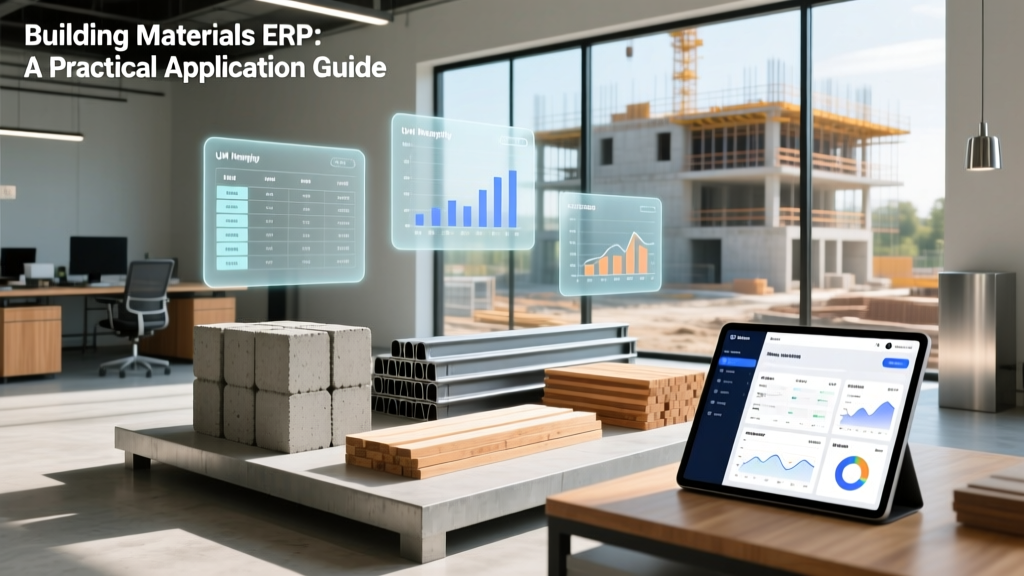
The Unique Complexity of Building Materials Distribution
Implementing an Enterprise Resource Planning (ERP) system in the building materials sector is fundamentally different from deploying one in general retail or standard manufacturing. Distributors of lumber, concrete, roofing, and structural steel operate in an environment defined by extreme Unit of Measure (UOM) fragmentation, heavy-duty logistics, and strict compliance tracking. A generic ERP will inevitably fail when asked to handle the dimensional nuances of a 2x4x8 stud or the heat-number traceability required for structural rebar.
The number one cause of inventory discrepancies in building materials ERPs is improper UOM mapping. For example, roofing shingles are purchased from the manufacturer by the bundle (typically 3 bundles = 1 square, covering 100 sq. ft.), but contractors often order by the individual piece or the square foot. If your ERP does not natively support multi-dimensional purchasing, inventory, and selling UOMs with automated fractional conversion, your yard counts will be inaccurate from day one.
Core Modules: Generic vs. Specialized Building Materials ERP
When evaluating software, you must look beyond standard financials and CRM. According to industry analyses by Epicor's Building Supply division, specialized platforms embed industry-specific logic directly into the core architecture rather than relying on brittle third-party plugins.
| Feature Category | Generic ERP (e.g., Standard NetSuite) | Building Materials ERP (e.g., BisTrack, Spruce) |
|---|---|---|
| UOM Conversions | Basic (Each, Case, Pallet) | Advanced (Board Foot, Linear Foot, MBF, Square, Ton) |
| Delivery Routing | Standard parcel/LTL integration | Flatbed, boom truck, and crane scheduling with axle-weight limits |
| Traceability | Basic lot tracking | Mill Test Report (MTR) generation and heat-number tracking |
| Pricing Engines | Standard tiered pricing | Job-based quoting, multi-phase project pricing, and market-index ties |
Top Tier Platforms for Material Suppliers in 2026
Selecting the right platform requires matching the software's native strengths to your specific material mix. Infor CloudSuite Distribution and specialized niche players dominate this space.
Epicor BisTrack & Prophet 21
Epicor remains the heavyweight in building supply. BisTrack is explicitly engineered for lumber and building material (LBM) dealers, offering robust multi-branch inventory transfers and deep integration with point-of-sale (POS) systems for contractor drive-through yards. Prophet 21 (P21) is better suited for wholesale distributors dealing in high-volume plumbing, HVAC, and fasteners. Expect implementation costs to range from $85,000 to $150,000, with ongoing licensing around $175 to $225 per user/month.
Spruce Enterprise
Spruce is highly favored by mid-sized LBM dealers and specialty distributors (like roofing and siding suppliers). Its standout feature is the 'Spruce Delivery' module, which handles the complex logistics of dispatching flatbeds with specific equipment (e.g., piggyback forklifts). Spruce is generally more accessible for mid-market dealers, with implementation costs typically starting around $50,000.
Infor CloudSuite Distribution
For large-scale, multi-national building material manufacturers and master distributors, Infor offers deep supply chain visibility and advanced warehouse management (WMS). It excels in handling complex kitting (e.g., bundling trusses, hardware, and sheathing into a single 'roof package' SKU). Implementation is a major undertaking, often exceeding $250,000 for enterprise deployments.
Application Guide: 5-Phase Implementation Workflow
A successful deployment requires a phased approach that prioritizes data integrity and operational continuity. Do not attempt a 'big bang' go-live during the peak spring/summer construction season.
- Phase 1: SKU and UOM Rationalization (Weeks 1-4)
Audit your entire item master. Map every SKU to a Base UOM, Purchasing UOM, and Selling UOM. For dimensional lumber, ensure the system calculates board feet (BF) correctly: (Thickness x Width x Length) / 144. Clean out obsolete SKUs and establish standardized naming conventions (e.g., LUM-DF-2x4-08-STD for Douglas Fir 2x4 8-foot standard). - Phase 2: Delivery Fleet & Routing Integration (Weeks 5-8)
Integrate your ERP with a transportation management system (TMS) or telematics provider like Samsara. Configure vehicle profiles within the ERP: define payload capacities, axle configurations, and equipment (e.g., Moffett forklift, crane reach). The ERP must prevent dispatchers from scheduling 45,000 lbs of concrete block on a truck with a 40,000 lb legal limit. - Phase 3: Lot, Heat, and MTR Setup (Weeks 9-10)
For structural steel, rebar, and specialized fasteners, configure mandatory lot/heat number entry at the receiving dock. Build automated workflows so that when an invoice is generated for a structural steel order, the ERP automatically pulls the associated Mill Test Reports (MTRs) and emails them to the general contractor, ensuring they pass municipal building inspections. - Phase 4: Multi-Phase Job Quoting (Weeks 11-14)
Configure the estimating module to handle phased deliveries. A commercial contractor may bid a project requiring drywall in phase 1, structural steel in phase 2, and finish trim in phase 3. The ERP must lock in pricing for the entire project while allowing release dates for individual phases to be adjusted without voiding the master contract. - Phase 5: Yard Testing and Go-Live (Weeks 15-16)
Conduct physical mock-runs in the yard. Have forklift drivers use ruggedized mobile scanners to pick complex orders (e.g., 400 linear feet of PVC, 2 tons of gravel, and 15 sheets of plywood). Verify that the ERP correctly deducts inventory across different UOMs and generates an accurate, consolidated pick ticket.
Real-World Failure Modes and Edge Cases
Even with top-tier software, implementation teams frequently stumble over industry-specific edge cases. Anticipate these pitfalls:
- The 'Off-Cut' Inventory Problem: When a yard worker cuts a 20-foot piece of steel piping to fulfill a 12-foot order, the 8-foot remnant is often thrown back into inventory without being recorded. Your ERP must have a 'drop-off' or 'remnant' workflow that prompts the saw operator to scan the off-cut back into stock as a new, uniquely dimensioned SKU.
- Weather-Delayed Deliveries: Building materials are delivered to active, exposed job sites. If a concrete pour is delayed by rain, the truck must return. The ERP needs a 'Return to Yard' (RTY) workflow that instantly puts the material back into available inventory and triggers a restocking or redelivery fee on the customer's account.
- Market-Indexed Pricing Lags: Commodities like OSB, plywood, and copper fluctuate weekly. If your ERP pricing tables are updated manually via spreadsheet uploads, you will lose margin during price spikes. Integrate your ERP with market indexing APIs (like Fastmarkets or Random Lengths) to automate cost updates and trigger customer price-escalation alerts.
"The gap between a successful building materials ERP deployment and a failed one rarely lies in the software's financial modules. It lives in the yard, on the trucks, and in the complex, messy reality of how construction materials are actually measured, cut, and delivered."
— Industry Supply Chain Analyst

Total Cost of Ownership (TCO) Breakdown
Budgeting for a building materials ERP requires looking beyond the initial license. Below is a realistic 3-year TCO model for a mid-sized regional distributor (25-40 users, 2 branch locations).
Estimated 3-Year TCO: Mid-Market LBM Dealer
- Software Licensing (Cloud/SaaS): $135,000 - $180,000 (approx. $175/user/month)
- Implementation & Data Migration: $75,000 - $120,000 (Includes UOM mapping and custom API builds)
- Hardware (Rugged tablets, mobile scanners, POS): $25,000 - $40,000
- Training & Change Management: $15,000 - $25,000
- Ongoing Support & Maintenance (Years 2-3): $40,000 - $60,000
- Total 3-Year Investment: $290,000 - $425,000
Strategic Takeaways for Material Suppliers
Deploying a building materials ERP is an exercise in translating physical yard logic into digital workflows. Success hinges on selecting a platform that natively understands the difference between a board foot and a linear foot, respects the weight limits of your delivery fleet, and automates the compliance paperwork required by commercial contractors. By prioritizing rigorous UOM rationalization and investing heavily in yard-level mobile technology, distributors can transform their ERP from a mere accounting ledger into a powerful engine for margin protection and operational scale. For further insights on construction supply chain technology adoption, refer to resources provided by the Construction Dive technology desk.
Written by
Priya KapoorPriya Kapoor is a real estate market analyst and construction economics researcher with expertise in housing affordability, development feasibility, and infrastructure investment. She holds a Master of Regional Planning from Cornell University and previously worked as a senior analyst at CBRE's Investment Properties group, where she modeled returns for $4B in mixed-use development pipelines. Priya now runs an independent research practice advising developers, municipalities, and REITs on construction cost forecasting and market timing. She publishes the quarterly "BuildMat Market Pulse" report tracking material price indices across 12 commodity categories. Based in Austin, TX, Priya serves on the board of Habitat for Humanity Austin and is a marathon runner.
More from Priya Kapoor
View all
Construction Cost
Cost to Build a 1600 Sq Ft Home in 2026: Full Breakdown
Accurate 2026 cost to build a 1600 sq ft home—material, labor, and regional pricing breakdowns included. Plan your budget with real-time estimates.
Aug 11, 2026

Wood & Lumber
Name the Types of Wood for Pressure Treatment and Preservation
Learn how to name the types of wood best suited for pressure treatment. Compare species treatability, chemical retention levels, and 2026 preservation costs.
Aug 4, 2026

Stone & Masonry
Stone Veneer Suppliers Lindenhurst: 2026 Cost Analysis
Analyze 2026 stone veneer costs in Lindenhurst, NY. Compare local supplier pricing, delivery fees, and Suffolk County installation labor rates.
Aug 4, 2026