20 x 20 Composite Deck Material Calculator: Build & Install Guide
Master your 20 x 20 composite deck material calculator outputs. Get exact framing, board counts, fastener math, and install steps for a 400 sq ft deck.
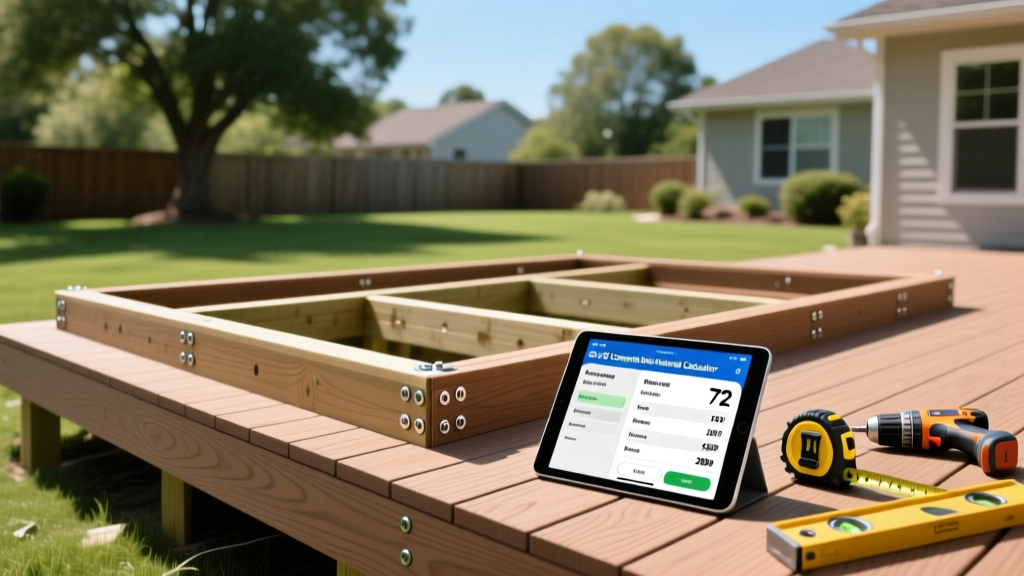
Decoding the 20 x 20 Composite Deck Material Calculator
A 20 x 20 foot deck represents a 400-square-foot footprint, placing it squarely in the mid-to-large tier of residential outdoor builds. When you run these dimensions through a 20 x 20 composite deck material calculator, the software generates baseline square footage, but it rarely accounts for the structural nuances of composite loading or the specific waste factors of complex layouts. Relying blindly on automated outputs often results in material shortages mid-build or over-ordering expensive PVC and capped-composite boards.
This guide bridges the gap between calculator outputs and real-world installation. We break down the exact mathematics for a 400 sq ft footprint, verify framing requirements against the American Wood Council's DCA-6 guidelines, and detail the installation sequence to ensure your material delivery matches your build schedule.
Base Square Footage vs. Real-World Waste Factors
Most basic calculators simply divide 400 sq ft by the coverage area of a standard 16-foot composite board (which covers approximately 7.33 sq ft). This yields 54.5 boards. However, composite decking cannot be ripped and reused like pressure-treated pine due to the exposed core vulnerability. You must apply precise waste multipliers based on your installation pattern.
| Installation Pattern | Waste Factor | Total Boards (16' x 5.5') | Total Linear Footage |
|---|---|---|---|
| Perpendicular (Straight Lay) | 10% | 61 Boards | 976 LF |
| Diagonal (45-Degree Angle) | 15% | 64 Boards | 1,024 LF |
| Picture Frame Border w/ Parting Board | 18-20% | 66-68 Boards | 1,056-1,088 LF |

Framing Lumber Estimation for a 400 sq ft Footprint
Composite decking is heavier and more flexible than traditional wood. While a standard wood deck might allow 24-inch on-center (OC) joist spacing, composite manufacturers strictly mandate tighter spacing to prevent sagging and bounce. According to Trex installation guidelines, maximum joist spacing is 16 inches OC for perpendicular installations and 12 inches OC for diagonal installations.
Calculating Joists and Beams
For a 20-foot width with joists running the 20-foot length:
- Perpendicular Layout (16" OC): Requires 16 joists. (15 spaces x 16" = 240" + 1.5" for the final joist). Total joist lumber: 320 linear feet of 2x8 or 2x10 pressure-treated lumber.
- Diagonal Layout (12" OC): Requires 21 joists. Total joist lumber: 420 linear feet.
Decking Boards: Brand-Specific Coverage and Fasteners
Not all composite boards are milled to the exact same dimensions, which slightly alters your calculator outputs. Furthermore, hidden fastener systems require precise quantities that automated calculators frequently underestimate.
Board Dimension Variations
- Trex Transcend Lineage: Nominal 5.5" wide. Actual coverage per 16' board is ~7.33 sq ft.
- TimberTech Advanced PVC Landmark: Nominal 5.5" wide, but features a slightly different profile edge. Coverage remains ~7.33 sq ft, but requires TimberTech's specific Cortex hidden fasteners or TOPLoc face screws.
- Fiberon Promenade: Lightweight PVC, 5.5" wide. Requires 12" OC joist spacing regardless of layout angle due to the cellular PVC core flexibility.
The Fastener Math
If you are using a hidden clip system (like the Trex Universal Hidden Fastener), you need one clip per joist intersection. For a 20x20 perpendicular layout with 61 boards crossing 16 joists, you have 976 intersections. Always order a 5% overage for fasteners to account for dropped clips and stripped screws. Total required: ~1,025 hidden fasteners. If you are picture-framing the deck, add 40 stainless steel color-matched face screws for the perimeter border boards.
Railing, Stairs, and Fascia: The Calculator Blind Spots
Where the 20 x 20 composite deck material calculator fails most dramatically is in the vertical elements. Calculators assume a flat plane. You must manually calculate the following:
- Fascia Boards: A 20x20 deck has 80 linear feet of perimeter. Standard composite fascia boards are 12" x 12' (covering 12 LF each). You need 7 fascia boards, plus 1 for waste/miter cuts (Total: 8 boards).
- Railing Systems: If the deck is attached to the house on one 20-foot side, you have 60 linear feet of railing. Composite railing kits typically come in 6-foot and 8-foot sections. Using 8-foot sections (7.5 actual span), you need 8 lineal kits, plus 9 composite railing posts (4x4 sleeves over structural 4x4s).
- Stair Stringers and Treads: For a standard 4-step staircase (36" rise), you need 3 pressure-treated stringers. Composite stair treads are typically 12" wide. You will need 4 treads per stringer run, totaling 12 stair treads. Do not use standard decking boards for treads; they lack the required nosing profile and slip resistance.
Step-by-Step Installation Sequence Based on Material Delivery
Proper staging of your calculated materials prevents board damage and streamlines the build. Composite boards should never be dragged across dirt or stacked directly on grass.
Phase 1: Substructure and Blocking
Install all pressure-treated joists and apply joist tape (like Trex Protect) to the top edges. This is non-negotiable for composite decks; the tape prevents moisture from pooling on the joists and rotting the wood beneath the impermeable composite shell. Install solid blocking every 4 feet along the 20-foot joist spans to prevent twisting.
Phase 2: Staging the Composite
Stack the composite boards on a flat, level surface supported by 4x4 dunnage. Alternate the stacking direction slightly to allow airflow. Never leave uncured composite boards in direct, unventilated sunlight for weeks before installation, as thermal expansion can cause permanent warping if the boards are strapped tightly to a pallet.
Phase 3: Laying the Field Boards
Start at the house and work outward. Use the manufacturer's spacer tool (typically 1/8" to 3/16") at every joist to account for thermal expansion. Composite expands and contracts primarily along its length based on temperature fluctuations. If you are installing on a 90°F day, the boards are fully expanded; tighten the gap to 1/8". If installing at 40°F, use the maximum 3/16" gap.
Frequently Asked Questions
Can I use the calculator output for a ground-level 20x20 floating deck?
Yes, but you must adjust the substructure materials. A floating deck requires concrete deck blocks instead of buried footings, and you must use 2x6 joists spaced at 12" OC to compensate for the lack of deep structural beams. The composite decking board count remains identical to the calculator output.
Why does my calculator suggest fewer boards than your manual math?
Most online calculators assume a 5% waste factor, which is only viable for perfectly square decks with zero cuts. A 10% to 15% waste factor is the industry standard for professional installers to account for board defects, miscuts, and the inability to reuse ripped composite offcuts.
Do I need to account for ventilation in the material list?
Yes. Composite decking requires a minimum of 1 inch of ventilation between the bottom of the joists and the ground to prevent mold and void the manufacturer warranty. If your 20x20 deck is low-to-grade, you must add lattice or foundation vent covers to your material list to ensure cross-flow air movement beneath the 400 sq ft footprint.
Written by
Sarah WhitfieldSarah Whitfield is a chartered quantity surveyor (MRICS) and construction cost analyst with 15 years of experience in material pricing, procurement strategy, and project budgeting. She earned her degree in Construction Management from the University of Reading (UK) and has worked on projects ranging from $2M custom homes to $180M mixed-use developments across North America and Europe. Sarah currently leads cost estimating for BuildMat Insight, maintaining a proprietary database of 4,000+ material price points updated quarterly. She is a frequent contributor to RSMeans cost data panels and has presented at the International Cost Engineering Council (ICEC) congress. Based in Denver, CO, Sarah is an avid trail runner and volunteer mentor for Women in Construction.
More from Sarah Whitfield
View all
Wood & Lumber
What Are the Different Types of Wood? A Builder's Guide
Compare structural softwoods, finish hardwoods, and engineered lumber. Analyze Janka ratings, MOE values, and 2026 pricing for construction.
Aug 4, 2026
Walls & Panels
Steel Framing vs Wood Framing: Corrosion and Moisture Defense
Compare steel framing vs wood framing for moisture resistance. Learn about galvanized coatings, condensation risks, and corrosion protection strategies.
Jul 21, 2026

Stone & Masonry
How to Cut Stone Veneer: Wet Saw vs Grinder Comparison
Compare the best tools for cutting stone veneer. We review wet saws, angle grinders, and chop saws to help you achieve clean, chip-free cuts.
Jul 21, 2026